Welcome to this comprehensive guide that's crafted with one goal in mind: to help you find the best laptop for Elden Ring: Shadow of the Erdtree. As an ardent fan of FromSoftware's games, I understand the importance of having the right hardware for an immersive gaming experience. Elden Ring, with its expansive, intricately designed world and intense combat scenes, demands a laptop capable of running it smoothly while rendering its breathtaking visuals in all their glory.
My strategy to help you find the best laptop for Elden Ring involved examining an extensive laptop spreadsheet of recent releases, comparing specs, and analyzing both professional and user-generated reviews. I prioritized factors such as processor power, graphics capabilities, display quality and refresh rate, cooling efficiency, and battery life, all of which are critical for an optimal Elden Ring experience. We want to ensure you can explore the Lands Between without any technical glitches interrupting your epic battles with the demigods.
I've been a part of the Soulsborne community for years now, frequently engaging with fellow fans on the Elden Ring subreddit and Twitch streams. I've watched the journey of Tarnished unfold, experienced the thrill of boss battles, and dealt with the frustration of repeated deaths – all the while, understanding the importance of a high-quality laptop that can handle such a demanding game. This guide is not just about technical specifications; it's about ensuring your journey through the Erdtree's shadow is as seamless and immersive as possible.
Powering Your Elden Ring Adventure
Deciding on the right laptop Processor for Elden Ring: Shadow of the Erdtree

When it comes to gaming on laptops, the processor plays a crucial role in determining the overall performance of your gaming experience. Elden Ring: Shadow of the Erdtree is a highly anticipated game known for its demanding graphics and intense gameplay. To ensure smooth gameplay and optimal performance, choosing the right laptop processor is essential.
Recommendations
To enjoy Elden Ring: Shadow of the Erdtree on your laptop, here are some processor recommendations based on different budget ranges:
| Requirement | Processor |
|---|---|
| Minimum | i3-1115G4 |
| Recommended | i5-1135G7 |
| High-end | i7-11370H |
Choosing a processor within these categories will help ensure that your laptop can handle the demands of Elden Ring: Shadow of the Erdtree and provide an immersive gaming experience without compromising on performance.
Powering Your Erdtree Adventure: Graphics Cards
Deciding on the right laptop Graphics card for Elden Ring: Shadow of the Erdtree

When it comes to choosing the perfect graphics card for your laptop to run Elden Ring: Shadow of the Erdtree, Nvidia's lineup remains at the top of the game. With the recent release of the RTX 40 series cards, Nvidia is pushing boundaries. However, the RTX 30 series still holds strong in the laptop GPU market, offering great performance for a range of budgets.
Recommendations
To ensure you have an optimal gaming experience in Elden Ring: Shadow of the Erdtree, here are some recommendations based on different budget ranges:
| Performance Level | Recommended GPU |
|---|---|
| Minimum | GeForce GTX 1650 |
| Recommended | GeForce RTX 3050 |
| High-end | GeForce RTX 2060 |
Selecting a graphics card within these ranges will help you immerse yourself in the world of Elden Ring with smooth visuals and responsive gameplay. Whether you're exploring the depths of dungeons or engaging in intense battles, having the right GPU can make all the difference in enhancing your gaming experience.
The RAM Power Play for Elden Ring

When it comes to running Elden Ring: Shadow of the Erdtree on your laptop, choosing the right amount of RAM is crucial for a smooth gaming experience. Let's break down the RAM requirements based on different performance needs and budget considerations.
RAM Recommendations for Elden Ring: Shadow of the Erdtree Laptops
| Performance Level | RAM Recommendation |
|---|---|
| Minimum | 16 GB |
| Recommended | 32 GB |
| High-end | 64 GB |
Factors to Consider
-
Minimum Requirements: To meet the basic system requirements and ensure the game runs without significant lag, 16 GB of RAM is the minimum you should consider.
-
Recommended Level: For optimal performance and to handle multitasking while gaming, 32 GB of RAM is recommended. This will help prevent any bottlenecks and ensure a smooth gaming experience.
-
High-End Performance: If you aim for top-tier performance and want headroom for future games or demanding tasks, 64 GB of RAM is ideal. This amount of RAM will future-proof your system and provide ample room for resource-heavy applications.
DDR4 vs. DDR5 RAM
Considering that DDR5 RAM is still in its early stages and comes at a premium, opting for DDR4 RAM is a more cost-effective choice for most users. Latest-gen Intel and AMD CPUs support both DDR4 and DDR5, but DDR4 remains a reliable and widely compatible option at a more affordable price point.
By selecting the right amount of RAM based on your gaming needs and budget, you can enjoy a seamless Elden Ring: Shadow of the Erdtree experience on your laptop.
6 Best Laptops for Elden Ring: Shadow of the Erdtree
 $880
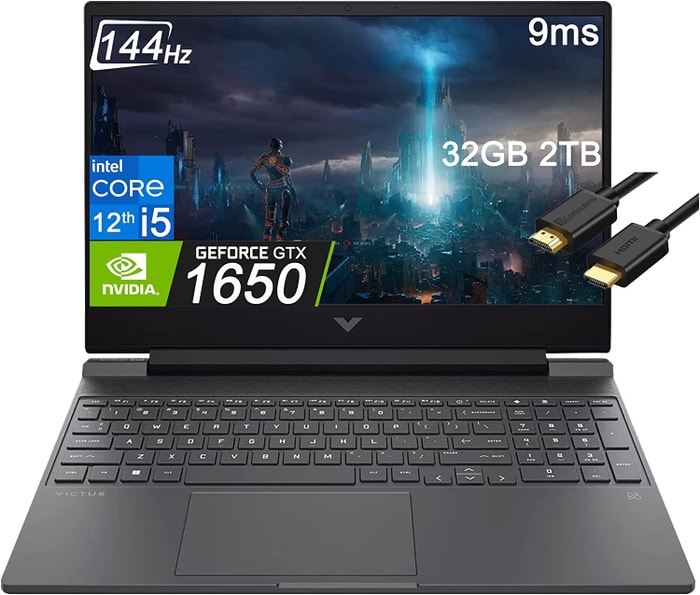
$8801.HP Victus 15
HP Victus 15: A budget-friendly gaming laptop with decent performance and a few compromises.- Excellent price
- Good gaming performance
- Can double as a work laptop
- Bad battery life
- Rather plain design
Summary
The HP Victus 15 offers a budget-friendly gaming laptop option with respectable performance capabilities, making it a good choice for gamers on a budget. Despite its plain design and subpar battery life, its affordability, gaming performance, and versatility as a work laptop make it a compelling option.
Alternatives
 $900
$900HP 470 G9 ProBook
- Configurable with 15W Alder Lake processors and NVIDIA GeForce MX550
- Excellent display with 98 sRGB coverage and accurate colors
- Plastic build with mediocre quality
- Lack of an SD card reader
 $1,270
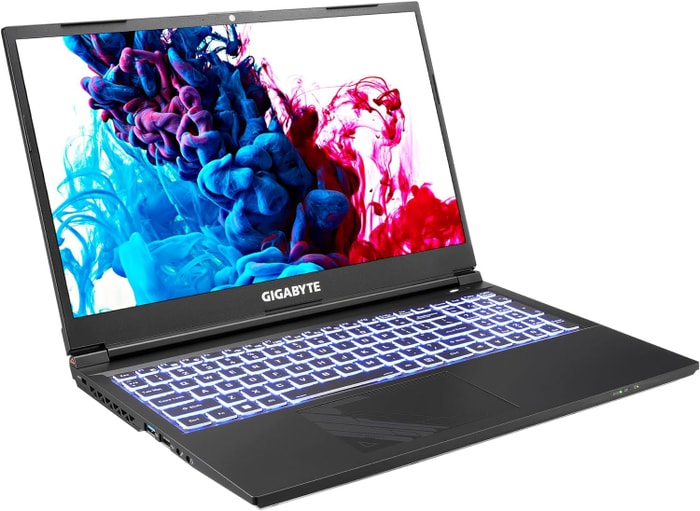
2.GIGABYTE G5 KF5
The GIGABYTE G5 KF5 is the top choice for budget gamers seeking performance and upgradability.- Great gaming performance
- Nice-looking screen
- Solid chassis
- Easy to upgrade storage
- Loud under load
- Larger SSD upgrade is a must
- Would prefer more P-cores
Summary
The GIGABYTE G5 KF5 stands out as a solid and affordable gaming laptop option, boasting excellent gaming performance, a visually appealing screen, and a sturdy build. The laptop offers easy storage upgrade options, ensuring flexibility for users. However, it tends to get loud under heavy loads, requires a larger SSD upgrade for optimal performance, and some users may desire more processing cores.
Reviews
Alternatives
 $1,480
ASUS-TUF-Laptop MUX 140W
- Powerful RTX 4060 graphics card
- Colorful screen
- Poor webcam, touchpad, and speakers
 $2,630
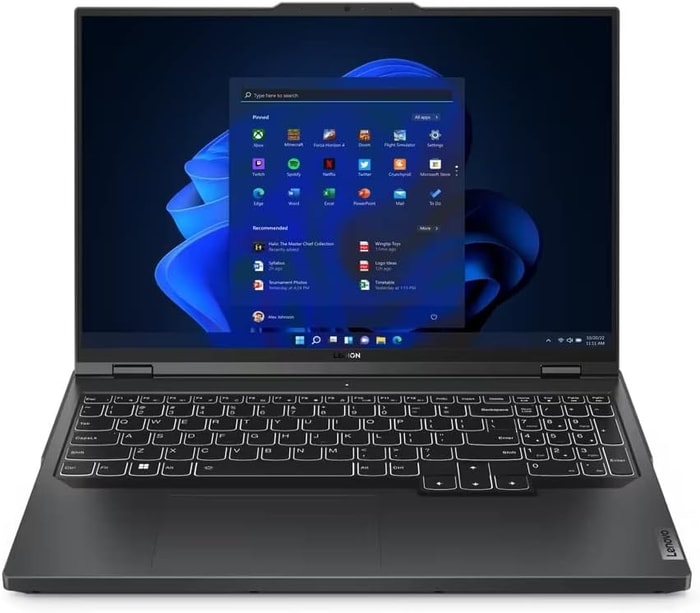
3.Lenovo Legion Pro 5
Lenovo Legion Pro 5 - A Good-Value Mid-Tier Laptop with Performance Potential- Good build quality and design
- Impressive screen and IO
- Decent keyboard, trackpad, and webcam features
- Competitive pricing
- Lack of Thunderbolt or biometrics
- Some overheating issues during gaming
- Mediocre speakers
- Average battery life
Summary
The Lenovo Legion Pro 5 offers great value with its solid build quality, good screen, and ample performance capabilities. However, potential buyers should be wary of overheating during sustained loads, limited battery life, and subpar speakers.
Reviews
Alternatives
 $2,840
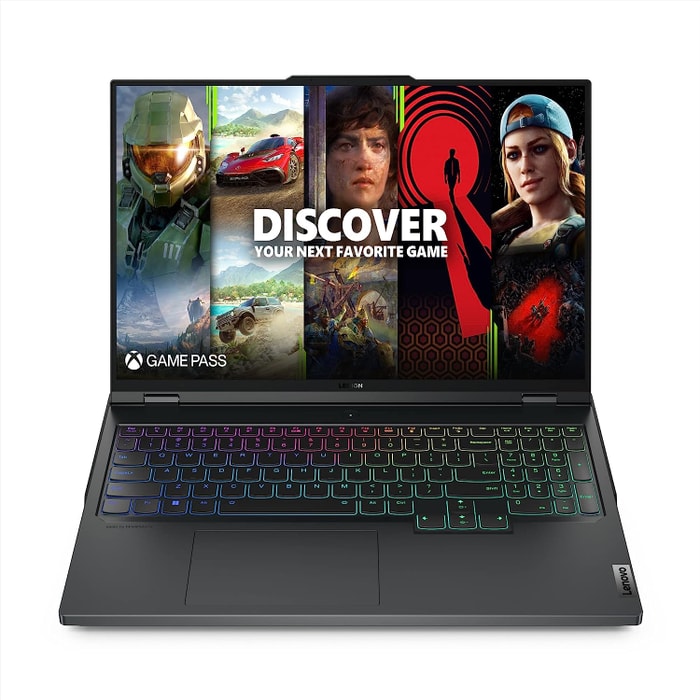
Lenovo Legion Pro 5
- Strong performance for the price
- Quality build and port selection
- Display quality and battery life are average
- Bulky and heavy
 $3,390
4.Lenovo Legion Pro 7i 16
Lenovo Legion Pro 7i 16: A powerful gaming laptop with a sleek design and great value for money.- Strong overall performance
- Big, bright, and fast display
- Per-key RGB lighting
- Some flex to keyboard deck
- Poor battery life
Summary
The Lenovo Legion Pro 7i impresses with its i9-13900HX processor and RTX 4090 GPU, offering strong overall performance at a slightly lower price than its competitors. Its unpretentious styling conceals its gamer-centric features, making it an enticing option for those seeking a long-term investment in a gaming laptop.
Alternatives
 $4,290
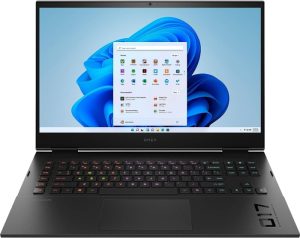
HP Omen
- QHD display with 165 Hz
- Expandable working memory
- Slightly below-average performance for a RTX 4080
- High noise level
 $4,290
5.HP Omen 17
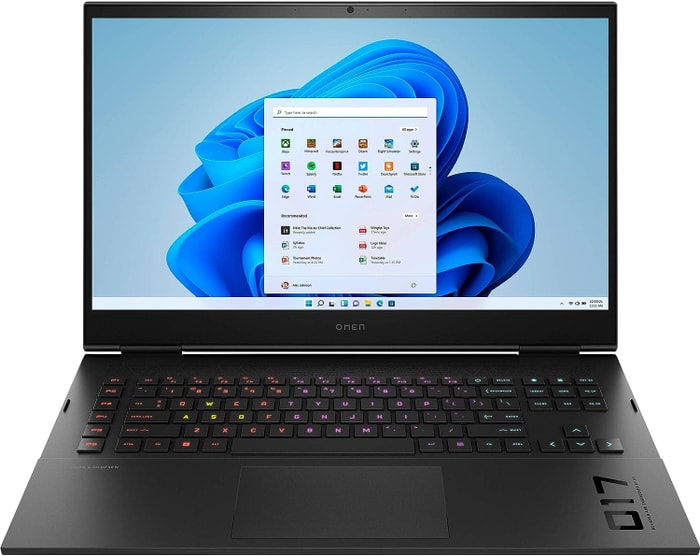
HP Omen 17: The high-end gaming laptop with a performance boost but a noisy downside.- QHD display with 165Hz
- Advanced Optimus
- Expandable working memory
- PCIe-4 SSD with space for a second SSD
- Slightly below-average performance for a RTX 4080
- High noise level
- Clattery case
- Meager battery life
Summary
The HP Omen 17 is a high-end gaming laptop, featuring a Core i9-13900HX and GeForce RTX 4090 that deliver excellent performance for video processing, rendering, and QHD gaming. It boasts a QHD display with 165Hz, advanced Optimus, expandable memory, and individual key illumination. However, users should be prepared for the slightly below-average performance for a RTX 4080, high noise level, clattery case, and meager battery life.
Reviews
 $5,600
6.Dell XPS 17 9720
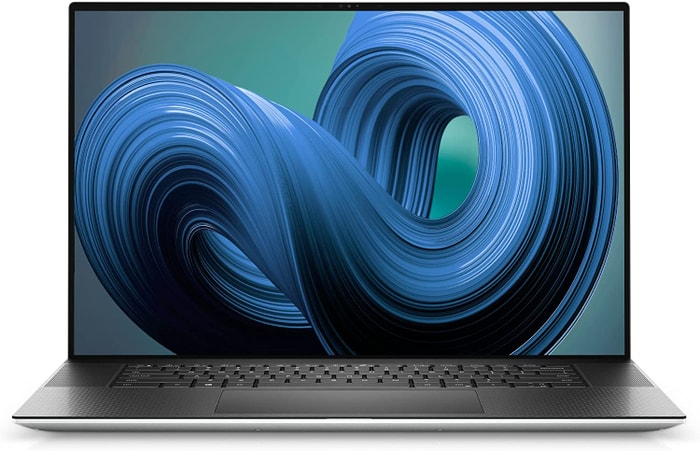
Dell XPS 17 9720: Stunning display and high performance, but lacks in graphics power and cooling.- Excellent 4K display with AdobeRGB
- High-quality case
- Thunderbolt 4 PCIe 4.0
- Very high system performance
- Lower graphics performance than the predecessor
- Performance not completely stable under combined load
- Not Wi-Fi 6E compatible
- 720p webcam
Summary
The Dell XPS 17 9720 boasts an impressive 4K display with AdobeRGB, high-quality case, Thunderbolt 4 & PCIe 4.0 support, and very high system performance. However, it falls short in graphics performance compared to its predecessor, suffers from slightly weak cooling, and lacks stability under combined load. Additionally, it's not Wi-Fi 6E compatible and features a mediocre 720p webcam.
Reviews
Alternatives
 $9,450
Lenovo ThinkPad P17 Gen 2
- Robust chassis
- Feature-rich
- LCD color space coverage (90 sRGB)
- 16:9 LCD with wide bezels
Table of the Best Laptops for Elden Ring: Shadow of the Erdtree
| Laptop | Price (approx) |
| HP Victus 15 | |
| GIGABYTE G5 KF5 | |
| Lenovo Legion Pro 5 | |
| Lenovo Legion Pro 7i 16 | |
| HP Omen 17 | |
| Dell XPS 17 9720 |