Selecting the best laptop for Black Myth: Wukong isn't just about packing the most powerful components into a portable shell. As an upcoming action RPG based on the legendary Chinese tale "Journey to the West" it promises to deliver breathtaking visuals and an immersive gameplay experience. As a seasoned gamer and laptop enthusiast, I understand the importance of finding a laptop that can handle this demanding title while also considering portability, build quality, and value for money.
Over the years, I've cultivated a process of reviewing an extensive spreadsheet of the latest laptop releases, comparing specifications and reviews from both professionals and users. This method enables me to narrow down the top laptops based on specific requirements, price ranges, and the demanding needs of games like Black Myth: Wukong. This isn't about finding the most expensive laptop; it's about pinpointing the one that offers the perfect balance for your gaming needs.
When considering the best laptop for Black Myth: Wukong, it's essential to remember the game's unique requirements. This isn't your average hack-and-slash title. The game has been making waves in the gaming community, particularly on platforms like Reddit and Twitch, for its stunning Unreal Engine 4 graphics and fluid combat system. As such, the optimal laptop for this game requires a balance of potent graphical capabilities, a high refresh rate display for smooth action sequences, and a robust cooling system to keep performance stable during those intense boss fights. Let's dive in and find the perfect laptop for your Wukong adventures.
Unleashing the Power: Choosing Your Processor

When selecting the right laptop processor for playing Black Myth: Wukong, various factors come into play, including performance needs and budget constraints. This guide breaks down the key processor options currently available in the market to help you make an informed decision.
AMD Ryzen Processors
AMD has significantly increased its footprint in the laptop CPU market, now commanding 20% of the share. Laptops powered by the latest 7th-generation Ryzen processors offer robust performance and impressive energy efficiency. If battery life is a priority for you, consider opting for Ryzen-powered PCs.
Intel Core Processors
While Intel’s 13th-generation Core processors have made their debut, the 12th-generation Intel Core CPUs still deliver excellent value—particularly for users who don’t necessarily need cutting-edge performance. These chips feature a hybrid performance/efficiency core design similar to Apple's silicon chips. However, maintaining low power consumption can be a challenge for Intel.
Recommended Processors for Black Myth: Wukong Laptops
To ensure a smooth gaming experience with Black Myth: Wukong, here are some processor recommendations tailored to different budget levels:
| Budget Category | Processor |
|---|---|
| Minimum | i3-1115G4 |
| Recommended | i5-1135G7 |
| High-end | i7-11370H |
Choose a processor that meets your performance needs and fits within your budget to enhance your gaming experience while playing Black Myth: Wukong on your laptop.
By understanding the nuances of these processor options, you’re better equipped to make a well-informed choice that will deliver the gaming performance you desire.
Powering Up: Graphics Card Essentials
Deciding on the right laptop Graphics card for Black Myth: Wukong

When choosing a laptop to play Black Myth: Wukong, a visually demanding game, the graphics card is a crucial factor to consider. With Nvidia dominating the market, it's essential to pick the right GPU for an optimal gaming experience. Here are some key points to help you make an informed decision:
Recommendations
| Requirement | Recommended GPU |
|---|---|
| Minimum | GeForce RTX 3050 |
| Recommended | GeForce RTX 3060 |
| High-end | GeForce RTX 2080 SUPER |
Choosing a laptop with a GeForce RTX 3060 would offer a good balance between performance and affordability for playing Black Myth: Wukong. However, for those seeking top-tier performance and graphical fidelity, a GeForce RTX 2080 SUPER would provide an exceptional gaming experience.
Keep these recommendations in mind when selecting a laptop graphics card for an optimal Black Myth: Wukong gaming experience.
The Heart of Wukong's Performance
Deciding on the Right Laptop RAM for Black Myth: Wukong

When it comes to choosing the right laptop RAM for running games like Black Myth: Wukong, there are a few key considerations to keep in mind. Most mid-range laptops typically come equipped with 16 GB of RAM, which is generally sufficient for gaming and multitasking. However, for more demanding games and tasks, such as Black Myth: Wukong, you may want to consider upgrading to 32 GB or more.
Factors to Consider
-
Game Requirements: Check the recommended system requirements for Black Myth: Wukong to determine the optimal amount of RAM needed for a smooth gaming experience.
-
Budget: RAM prices can vary significantly, with DDR5 being the latest and fastest but also more expensive. DDR4 is still a solid choice for most gaming laptops and offers a good balance between performance and cost.
-
Future-Proofing: Investing in higher RAM capacity, such as 32 GB or 64 GB, can help future-proof your laptop for upcoming games and applications that may require more memory.
Recommendations
Here are some general recommendations based on different budget levels:
| Requirement | RAM Capacity |
|---|---|
| Minimum | 16 GB |
| Recommended | 32 GB |
| High-End | 64 GB |
Ultimately, the amount of RAM you choose for your Black Myth: Wukong laptop should align with your usage needs and budget. Whether you're aiming to meet the minimum requirements or future-proofing for high-performance gaming, selecting the right RAM capacity can significantly impact your overall gaming experience.
FAQ
Can I play Black Myth: Wukong on a laptop?
Yes, you can play Black Myth: Wukong on a laptop, but it will depend on your laptop's specifications.
What laptop specs are recommended for Black Myth: Wukong?
For a seamless gaming experience in Black Myth: Wukong, GeForce RTX 3060 or higher, 32 GB of memory, and at least an i5-1135G7 processor are recommended.
Is a gaming laptop necessary to run Black Myth: Wukong?
While a gaming laptop isn't mandatory, to fully enjoy the game with optimal graphics and performance, a laptop with dedicated gaming specs is highly recommended.
Which laptop is best for Black Myth: Wukong gaming?
The Lenovo Legion Pro 7i 16 priced at $3,390 is a top choice for Black Myth: Wukong gaming due to its high-end specs and exceptional performance.
How to choose a laptop for Black Myth: Wukong?
When selecting a laptop for Black Myth: Wukong, prioritize a GeForce RTX 3060 or higher graphics card, 32 GB of memory, and an i5-1135G7 or better processor for the best experience.
Can Black Myth: Wukong run on a budget laptop?
While it's possible to run Black Myth: Wukong on a budget laptop, for optimal performance and graphical quality, investing in a laptop like the MSI GF63 Thin 15 at $760 would be more suitable.
Is a Core i5 processor enough for Black Myth: Wukong?
A Core i5 processor is sufficient to run Black Myth: Wukong, but for smoother gameplay and enhanced performance, consider opting for an i7-11370H processor.
What graphics card is recommended for Black Myth: Wukong on a laptop?
To enjoy Black Myth: Wukong with high graphics settings, a GeForce RTX 3060 or higher graphics card is recommended for a superior gaming experience.
Which laptops are known to perform well with Black Myth: Wukong?
Laptops like the ASUS-TUF F15-Gaming–12Core at $1050 and the HP Envy 16 at 1850 are known to perform excellently with Black Myth: Wukong, providing a smooth and immersive gameplay experience.
4 Best Laptops for Black Myth: Wukong
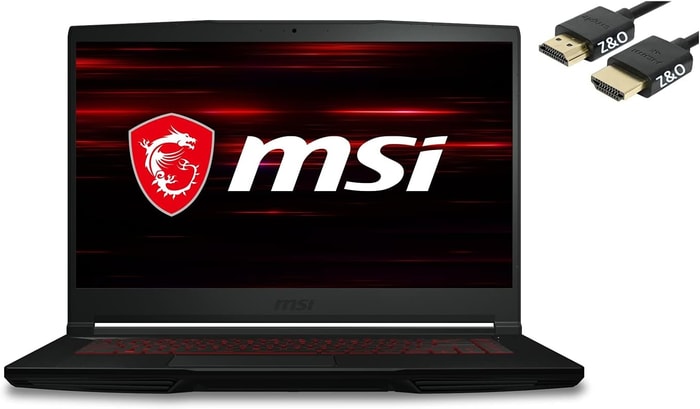 $760
$7601.MSI GF63 Thin 15
MSI GF63 Thin 15: A budget-friendly laptop with powerful performance but a lackluster display and keyboard.- Inexpensive
- Powerful Intel Core i5 CPU
- Lightweight, partially metal chassis
- Limited gaming performance
- Dull screen
- Flat, uncomfortable keyboard
Summary
The MSI GF63 Thin 15 offers a cost-effective option with a robust Intel Core i5 CPU, a lightweight design with a partial metal chassis, and affordability. However, it falls short with limited gaming performance, a dull screen, and a flat, uncomfortable keyboard.
Alternatives
 $790
$790HP Victus
- Delivers smooth gameplay at 1080p.
- Fast SSD.
- No VRR to reduce screen tearing.
- Some performance loss on CPU under load.
 $1,050
2.ASUS-TUF F15-Gaming--12Core
ASUS-TUF F15-Gaming--12Core: A versatile gaming laptop that excels in performance and productivity.- Superb 1080p gaming
- Strong productivity capabilities
- Great price
- Poor webcam, touchpad, and speakers
- Some games appear washed out on display
Summary
The ASUS-TUF F15-Gaming--12Core may not have the most impressive screen, but it more than makes up for it with its exceptional gaming performance and productivity capabilities. It boasts a sleek design, smooth running, and the ability to handle your favorite games at maximum settings. Despite its shortcomings in webcam, touchpad, and speakers, this laptop offers superb value for gamers and professionals alike.
Reviews
Alternatives
 $1,270
GIGABYTE G5 KF5
- Great gaming performance
- Nice-looking screen
- Loud under load
- Larger SSD upgrade is a must
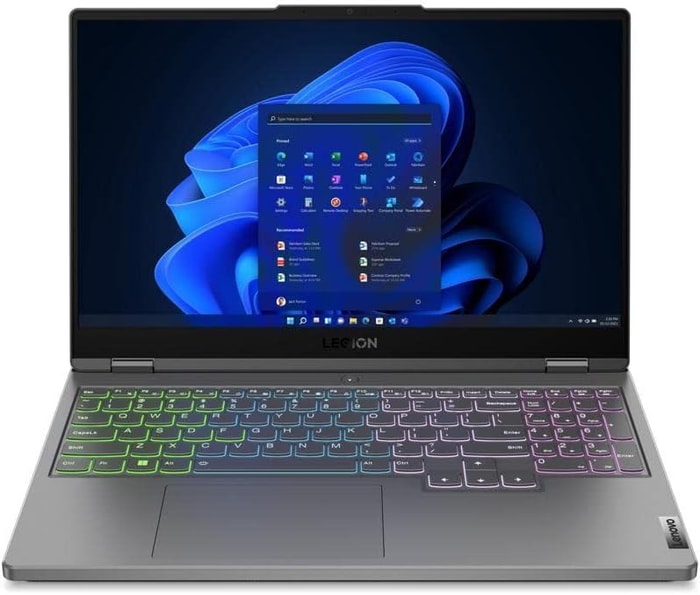 $1,850
3.HP Envy 16
HP Envy 16: A powerhouse laptop with top-notch features but a bit on the hefty side.- Plenty of CPU and GPU power
- New 120Hz screen refresh rate
- High-res webcam
- Sleek design
- Merely adequate base screen
- Optional OLED has fewer pixels than before
- Bulky and heavy
Summary
The HP Envy 16 boasts high-end features like a powerful CPU and GPU, a new 120Hz screen refresh rate, a high-resolution webcam, and a sleek design, making it an attractive option for creative applications and light gaming. However, its merely adequate base screen, reduced pixels in the optional OLED display, and bulky design may be drawbacks for some users.
Reviews
Alternatives
 $1,750
ASUS ROG Strix G15
- High performance CPU and GPU
- Good display with 300 Hz refresh rate
- Limited connectivity options
- Occasional coil whine
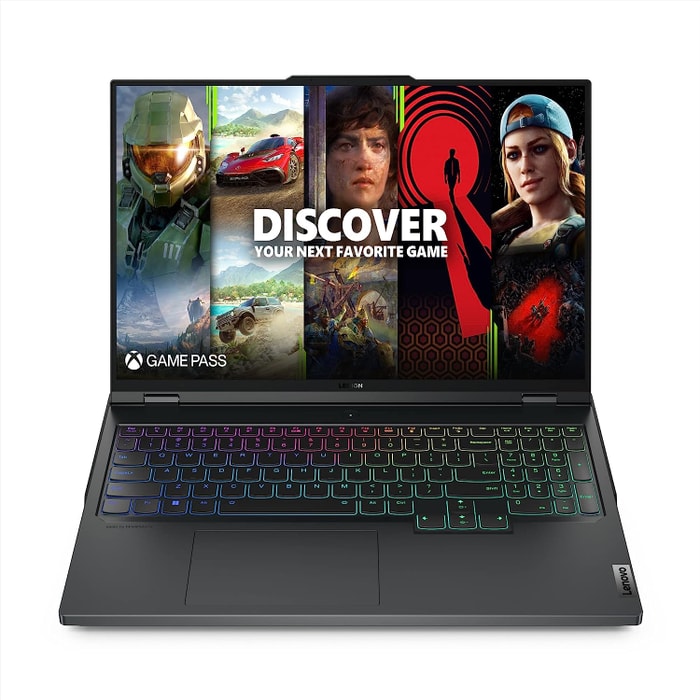 $3,390
4.Lenovo Legion Pro 7i 16
Lenovo Legion Pro 7i 16: A powerhouse gaming laptop at a reasonable price point.- Strong overall performance
- Big, bright, and fast display
- Per-key RGB lighting
- Some flex to keyboard deck
- Poor battery life
Summary
The Lenovo Legion Pro 7i 16 impresses with its high performance featuring an i9-13900HX processor and RTX 4090 graphics card, all wrapped in a sleek design that conceals its gaming capabilities. It offers great value compared to competitors, with enticing attributes and the promise of future GPU upgrades. However, it falls short in battery life and exhibits some flex in the keyboard deck.
Alternatives
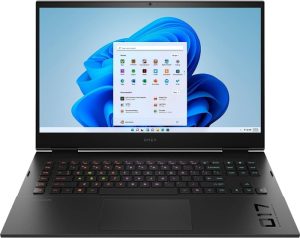 $4,290
HP Omen 17
- QHD display with 165Hz refresh rate
- Expandable working memory
- Slightly below-average performance for a RTX 4080
- High noise level
Table of the Best Laptops for Black Myth: Wukong
| Laptop | Price (approx) |
| MSI GF63 Thin 15 | |
| ASUS-TUF F15-Gaming--12Core | |
| HP Envy 16 | |
| Lenovo Legion Pro 7i 16 |