Welcome to the ultimate guide to finding the best laptop for WoW The War Within, an expansion within the iconic World of Warcraft series. As an avid WoW player myself, I'm well aware that not just any laptop can handle the demands of Azeroth's battlefields. From the breathtaking vistas of Kul Tiras to the eerie, twisted landscapes of the Shadowlands, WoW's immersive graphics require a laptop with a potent processor, ample RAM, and a high-quality display to truly shine.
I've spent countless hours reviewing an expansive laptop spreadsheet of recent releases, comparing specs, and digesting both professional and user-generated reviews. My process involves identifying laptops that provide the best balance between performance, durability, and cost – because the best laptop for WoW The War Within isn't necessarily the most expensive one.
The WoW community, whether it's on the forums, the WoW subreddit, or chatting with fellow guild members in-game, is always buzzing about tech requirements and preferences. I've taken these insights into account along with my personal experience. That’s why this guide isn’t just about raw power, but also about ensuring smooth gameplay during those all-important raids, responsiveness during intense PvP battles, and the ability to truly appreciate the stunning art direction and intricate details that make WoW such a standout game. So, whether you're a seasoned veteran of the Horde or Alliance, or a newcomer keen to join the ranks, this guide is your ticket to finding the perfect laptop for your WoW adventure.
Unleash Your Power with WoW: Processors

-
Minimum Requirement: The i3-1115G4 serves as the entry-level processor, providing adequate performance for basic gameplay needs.
-
Recommended Option: For a more balanced performance, the i5-1135G7 is a solid choice. It offers better multitasking capabilities and smoother gameplay.
-
High-End Choice: If you want top-tier performance, the i7-11370H is the best option. It ensures that you can run the game at high settings without any hiccups, providing an optimal gaming experience.
By selecting the right combination of graphics card and processor based on your budget and performance needs, you can significantly enhance your World of Warcraft: The War Within experience. Whether you're on a budget or looking for the best performance, these recommendations will help you enjoy the game to its fullest.
Unleash the Power of Epic Graphics

Choosing the right graphics card is essential for enjoying World of Warcraft: The War Within to its fullest. Here are the recommended options based on different performance needs and budgets:
-
Minimum Requirement: For those on a tight budget, the GeForce GTX 1650 offers decent performance, suitable for low to medium settings.
-
Recommended Option: If you prefer more immersive graphics and smoother gameplay, the GeForce RTX 3050 provides a significant boost in performance and visual quality.
-
High-End Choice: For the ultimate gaming experience, the GeForce RTX 2060 is the best option. It delivers top-tier performance and stunning visuals, allowing you to enjoy the game at high settings with excellent frame rates and enhanced graphical details.
By choosing the right graphics card based on your needs and budget, you can elevate your World of Warcraft: The War Within experience to new heights.
Level Up Your Laptop's RAM!
Deciding on the right laptop RAM for WoW The War Within

When it comes to selecting the ideal laptop RAM for WoW The War Within, it all boils down to finding that sweet spot between performance and budget. Whether you're battling your way through dungeons or engaging in epic PvP battles, having the right amount of RAM can significantly impact your gaming experience.
Understanding RAM Requirements
Most mid-range laptops nowadays come equipped with 16 GB of RAM, which is generally sufficient for handling most modern games, including WoW The War Within. For those looking to push their system further, high-end laptops with 32 GB or more of RAM are available.
Recommendations for WoW The War Within
| Requirement | RAM |
|---|---|
| Minimum | 8 GB |
| Recommended | 16 GB |
| High-end | 32 GB or more |
For gamers on a budget or those looking to dip their toes into WoW The War Within, 8 GB of RAM should suffice for running the game smoothly at lower settings. However, for a more optimal gaming experience with higher graphics settings and smoother gameplay, we recommend going for 16 GB of RAM.
If you're a hardcore gamer who wants to future-proof your laptop or engage in content creation alongside gaming, opting for a high-end laptop with 32 GB or more of RAM would be the way to go.
In conclusion, when deciding on the right laptop RAM for WoW The War Within, consider your gaming needs and budget to find the perfect balance of performance and value for your gaming adventures.
FAQ
What laptops can run WoW The War Within?
Laptops like the HP 470 G9 ProBook, ASUS-TUF F15, HP Envy 16, Lenovo Legion Pro 5, and Lenovo Legion Pro 7i 16 are all capable of running WoW The War Within.
What specs are needed to play WoW The War Within on a laptop?
To play WoW The War Within on a laptop, you'll need a minimum of 8 GB of memory, an i3-1115G4 processor, and a GeForce GTX 1650 graphics card. For a smoother experience, aim for 16 GB of memory, an i5-1135G7 processor, and a GeForce RTX 3050 graphics card. For maximum performance, go for 32 GB of memory, an i7-11370H processor, and a GeForce RTX 2060 graphics card.
How to optimize a laptop for WoW The War Within?
To optimize your laptop for WoW The War Within, ensure you have the recommended specs, update your graphics drivers regularly, adjust in-game settings for performance, and consider investing in a cooling pad to prevent overheating during long gaming sessions.
Can you play WoW The War Within on a budget laptop?
While you can play WoW The War Within on a budget laptop, you may experience lower graphics quality and performance compared to higher-end laptops. Consider the HP 470 G9 ProBook as a budget-friendly option to run the game.
Is a gaming laptop necessary to run WoW The War Within smoothly?
While a gaming laptop isn't necessary, it provides a smoother gaming experience with higher graphics settings and frame rates. If you prioritize performance and visual quality, a gaming laptop like the ASUS-TUF F15-Gaming–12Core or Lenovo Legion Pro 7i 16 would be ideal.
How much RAM is required to play WoW The War Within on a laptop?
8 GB of RAM is the minimum required to play WoW The War Within. For optimal performance, consider upgrading to 16 GB or 32 GB if your budget allows for it.
What graphics card is recommended for WoW The War Within on a laptop?
The GeForce RTX 3050 is a recommended graphics card for playing WoW The War Within on a laptop. It offers a good balance of performance and price, ensuring a smooth gaming experience with quality visuals.
How to increase FPS in WoW The War Within on a laptop?
To increase FPS in WoW The War Within on a laptop, lower in-game graphics settings, close background applications, update your graphics drivers, and ensure your laptop is free from dust and well-ventilated to prevent overheating.
Are gaming laptops worth it for playing WoW The War Within?
Gaming laptops are worth it for playing WoW The War Within if you prioritize performance, graphics quality, and portability. The Lenovo Legion Pro 5 and Lenovo Legion Pro 7i 16 are excellent choices for gamers seeking top-tier performance and visuals.
What are the minimum requirements for running WoW The War Within on a laptop?
The minimum requirements for running WoW The War Within on a laptop include 8 GB of memory, an i3-1115G4 processor, and a GeForce GTX 1650 graphics card.
5 Best Laptops for WoW The War Within
 $900
$9001.HP 470 G9 ProBook
HP 470 G9 ProBook - A solid performer with a stunning display, but lacking in build quality and battery life.- Multiple storage options available
- Optional fingerprint reader for added security
- Excellent color coverage and accuracy in the display
- Thin and lightweight design
- Mediocre build quality with a plastic construction
- Lack of an SD card reader
- USB Type-C without DisplayPort output
- Disappointing battery life
Summary
The HP 470 G9 ProBook offers a fantastic display with options for different panels, powerful Alder Lake processors, and the NVIDIA GeForce MX550 for gaming. However, it falls short in terms of build quality with a plastic chassis, lacks an SD card reader, and has unimpressive battery life.
Reviews
Alternatives
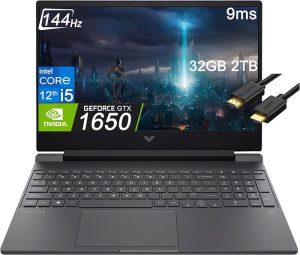 $880
$880HP Victus 15
- Excellent price
- Good gaming performance
- Bad battery life
- Rather plain design
 $1,050
2.ASUS-TUF F15-Gaming--12Core
ASUS TUF F15 - A Jack of All Trades, Master of Many- Superb 1080p gaming
- Strong productivity capabilities
- Great price
- Poor webcam, touchpad, and speakers
- Some games appear washed out on display
Summary
The ASUS TUF F15 is a reliable and versatile laptop that shines both as a gaming powerhouse and a productive workstation. With excellent gaming performance, strong productivity capabilities, and an attractive price point, it's a solid investment for those looking for a multipurpose device. However, the subpar webcam, touchpad, and speakers may leave some users wanting more, and the display could use improvement for certain games.
Reviews
Alternatives
 $1,270
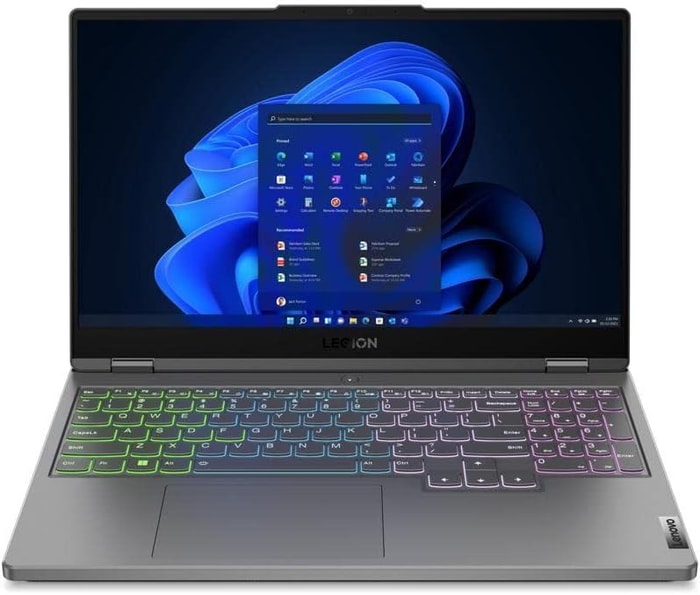
GIGABYTE G5 KF5
- Great gaming performance
- Nice-looking screen
- Loud under load
- Larger SSD upgrade is a must
 $1,850
3.HP Envy 16
HP Envy 16: A robust choice for creative work and light gaming.- Plenty of CPU and GPU power
- New 120Hz screen refresh rate
- High-res webcam
- Sleek design
- Merely adequate base screen
- Optional OLED has fewer pixels than before
- Bulky and heavy
Summary
The HP Envy 16 boasts high-end features like a top-notch webcam and a 120Hz refresh display, making it an attractive option for creative applications and casual gaming. With ample CPU and GPU power, sleek design, and improved screen refresh rate, this laptop is a solid desktop replacement for users seeking performance and aesthetics.
Reviews
Alternatives
 $1,750
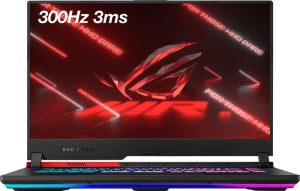
ASUS ROG Strix G15
- Impressive CPU and GPU performance
- High-quality display
- Limited connectivity options
- Potential coil whine issue
 $2,630
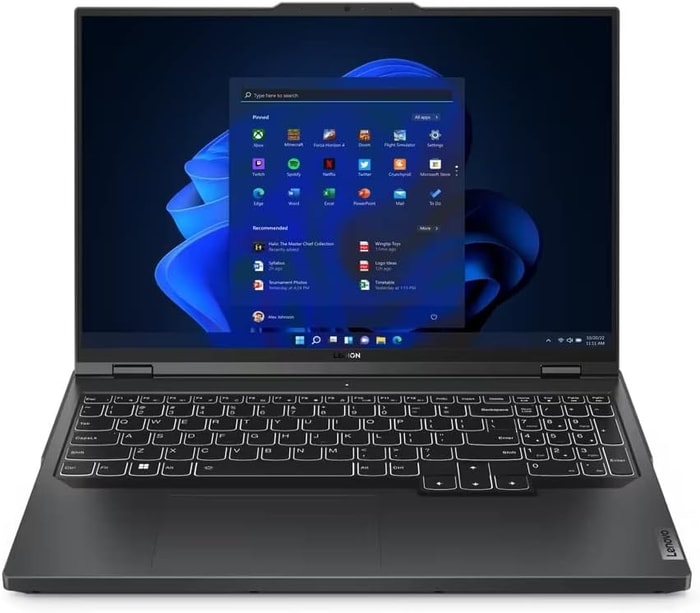
4.Lenovo Legion Pro 5
Lenovo Legion Pro 5 - A solid mid-tier laptop with a few hotspots.- Good build quality and design
- Excellent screen and IO
- Competitively priced
- Competent CPU with multiple GPU options
- No Thunderbolt or biometrics
- Hotspots during gaming
- Poor speakers
- Limited battery life
Summary
The Lenovo Legion Pro 5 is a good-value mid-tier laptop with a sturdy build, excellent screen and inputs, and sufficient performance. However, it has noticeable hotspots during sustained loads, limited battery life, and subpar speakers.
Reviews
Alternatives
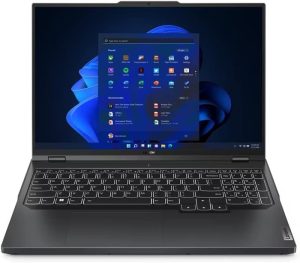 $2,840
Lenovo Legion Pro 5
- Strong performance for the price
- Quality build and port selection
- Display quality and battery life are just decent
- Bulky and heavy
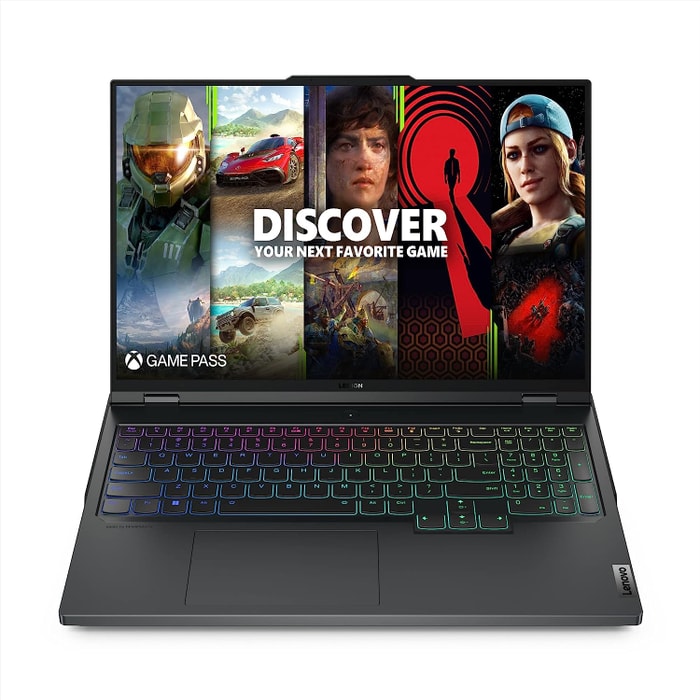 $3,390
5.Lenovo Legion Pro 7i 16
Lenovo Legion Pro 7i 16: Sleek Design, Powerful Performance, Value-Packed Gaming Laptop for the Discerning Player- Strong overall performance
- Big, bright, and fast display
- Per-key RGB lighting
- Some flex to keyboard deck
- Poor battery life
Summary
The Lenovo Legion Pro 7i impresses with its i9-13900HX processor, RTX 4090 GPU, and sleek design that cleverly conceals its gaming prowess. While offering strong overall performance and a large, vibrant display, it comes at a reasonable price point compared to its competitors, making it an attractive long-term investment for gamers seeking efficiency and affordability.
Alternatives
 $3,800
Lenovo Legion Pro 7i 16
- Strong overall performance
- Display is big, bright and fast
- Some flex to keyboard deck
- Poor battery life
Table of the Best Laptops for WoW The War Within
| Laptop | Price (approx) |
| HP 470 G9 ProBook | |
| ASUS-TUF F15-Gaming--12Core | |
| HP Envy 16 | |
| Lenovo Legion Pro 5 | |
| Lenovo Legion Pro 7i 16 |