 Adobe Photoshop CC includes some impressive upgrades for 2017. Internet connectivity is now required to use the software, and a host of add-ons, templates and images are available for download. The long-time favorite in photo-editing software, Adobe has improved Photoshop’s 3D imaging and video-editing capabilities as well. The best laptops for Photoshop CC & Lightroom have a high-quality display, a fast processor, good storage and a lot of RAM.
7 Most Secure Laptops for Tails OS in 2023 (March update)

March 2023 update. Because this guide has remained popular over the years, I've updated it for 2023, as the previous picks in 2018 were, to say the least, out of date.
In the Post-Snowden era of technological surveillance, there is an increasing desire to regain a sense of privacy. TAILS, short for The Amnesic Incognito Live System, is a Linux-based operating system that runs off a flash drive or CD/DVD. One of the benefits of using Linux is that it has relatively low system requirements, so when searching for the best laptop for TAILS, you don’t have to worry about breaking the bank! First, I’ll help you understand what system requirements are needed to run TAILS, and then I’ll show you seven of the best laptops for TAILS.
8 Best laptops for X Plane 12 Aces (+ Requirements Guide)

Flight simulators have been providing PC gaming enthusiasts with realistic flight experiences for decades now. In these games, airports, control schemes, aircraft, and world locations are faithfully represented. Today, many enthusiasts like myself and professional review sites like Lifewire agree that the best flight simulator on the market today is Laminar Research's X-Plane. They've released X-Plane 12, which is a very powerful, very realistic version of the game, but what kind of system can run it? Let's take a look at the best laptops for X-Plane.
Top 5 Best Laptops for Civil Engineering in 2017
 When it comes to courses of study, civil engineering is one of the most rewarding majors for a college student. That being said, it can also be one of the more challenging and varied. As a person who is working on his third year in structural engineering at a major university, I can attest that while the major is fun, it also requires some very specific computer hardware requirements. Whether you’re looking for a good machine for your favorite college student or are a civil engineer major who wants to purchase his or her own dedicated computer, wading past the hardware jargon can be tough. This is why I created this guide so that you can more easily find the best laptops for civil engineering students.
4 Best Budget picks for a video conferencing laptop (under $1000)
 Whether you’re in a meeting with colleagues from Prague or simply chatting with mom on your webcam, video conferencing has come a long way from the days of webcams with low megapixels and blocky video feeds. As a profession content creator for a large multinational company, I often find myself in video meetings with a wide variety of people; at all hours of the day. When I’m in the office, I use the little Lenovo laptop that my company provides, but when I’m at home, I decided to get a much more performant laptop so that I could appear clear and well-defined, even at 5 am my time. So, which are the best laptops for video conferencing? Let’s take a look.
Top 5 Asus Laptops in 2017 + Guide to Best Asus models
Owning a laptop is very useful for your work, play, and even as a means of expression. There are many great laptop manufacturers out there who have excellent machines. Some of the top manufacturers today are Acer, Dell, HP, and MSI, but there is one company crafts laptops that are both affordable and performant and that computer manufacturer is Taiwanese company Asus. I am a bit of a big fan of the company, I have a desktop from them, and I actually own the Asus GL502VM-DB71, which I use with my HTC Vive, but which is the best Asus laptop on the market? Let’s take a look at some great contenders.
Best laptops for Web Design: Top 6 Picks for Web, UI & Interaction
 If you are a full-stack developer, you have different needs than someone who focuses on front-end development only. Will you be doing a lot of graphic work? Do you want to switch back and forth from Linux to Windows? Once you have the answers to those types of questions, you’ll have a better idea of what requirements will matter most for your individual situation. That being said, the requirements that follow cover the full spectrum, giving you a good view of what’s required for the best web design laptop.
5 Best DJing Laptops (Lenovo, Asus, Dell, HP, Apple): $800 – $3000
 I have been working with computers and audio for almost ten years now. For the past 3, I have been studying computer science full time. During this time, I have come to understand the requirements for an enjoyable and productive computing experience. Unfortunately, the computers I have used have been at times, geared towards the wrong capabilities which make it hard to run larger DJing platforms that demand a lot of memory. Fortunately, I have learned from my experience and thus, you won’t make the same mistakes that I did.
There are many requirements for a solid audio workstation. However, there are some specifications that are more necessary than others in an attempt to optimize your audio experience. In order to better understand each specification, I will go over them and explain the significance from an audio standpoint.
Best laptops with SSD: 5 Top Picks within $550 – $2400
 It’s amazing; I can still remember purchasing a computer hard drive when I was in college that had a total of five gigabytes. I know that this information dates me a bit, but that hard drive, which I bought from CompUSA, cost me more than $250. Today, the best Laptops with SSD hard units can hold thousands of times more data than that old five-gigabyte drive; in fact, five gigabytes wouldn’t hold much these days.
That drive that I bought all those years ago was an EIDE HDD, which is a rotational unit. Nowadays, these are becoming more and more dated, with solid-state drives, which have no moving parts, gradually starting to replace them. As a matter of fact, many manufacturers are creating laptops with only solid-state drives inside, which is great because these drives are much faster than even 7200RPM HDD devices. Let’s take a look at a few more advantages to the solid-state drive.
Best Laptops for Animation between $800 and $3000
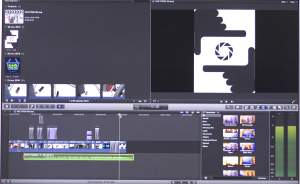 Whether you specialize in the 2D or 3D version of the art form, the world of animation has become inextricably linked to the computer. As a person who has worked on several big animation projects in the 3D space, I understand how important it is to have the hardware to support your demanding software. With this in mind, I created this guide so that fellow animators can get an idea about which are the best laptops for animation.
When I first started out, using a laptop computer to animate my 3D sequences was unimaginable; laptops at the time just didn’t have the chops. Nowadays, there are some truly powerful machines out there that are every bit the equal of traditional desktops. These laptops aren’t cheap, but as professionals, we have to sometimes make investments in our careers that can help us progress, but before I get to the models, let’s take a look at what you should consider for your new machine.
Good software is going to be needed for any level of animation. Bloop Animation has a great write-up about some of the top programs available. Also, applications such as Adobe Illustrator and Photoshop often end up in animators arsenal.