Here’s the deal with i3 laptops – there’s quite a few of them and they all have mostly similar specs. But that doesn’t mean they’re all the same. Some of the i3 laptops try to cut too many corners and end up being horrible. That’s why if you’re searching for the best i3 laptop that money can buy, you may run into some trouble picking the right one.
However, if you know exactly what you’re looking for and understand the importance of the various components that make up a laptop, you won’t find it that difficult to pick the right laptop.
This is where we are ready to assist you. In this post, you will find all the information you need to make an informed purchase. You will know what to look for in each laptop, and will also know how much RAM, processing power, storage space and video performance you need from your i3. We will also list the best i3 laptops sold today and explain why they are the best choices.

Are you looking for a laptop that can both handle schoolwork and satisfy your gaming needs? I know I was when I was back in school. It's a tough balance to strike since gaming laptops are often bulky, heavy and have terrible battery life, while school laptops are usually slim, portable and have long battery life but lack the hardware to run the latest games. But don't worry! I've scoured the web and tested out a few products myself to create the ultimate guide to buying the best laptop for school and gaming.
Data analysis is all about working with large data sets, and that's why a proper computer is critical to your success. But, no need to fret. I have good news. You don't have to break the bank to get a reliable machine for data analysis anymore.
In this article, I'll give you all the information you need to make an informed decision on buying the best laptop for data analysis. Whether you're a student or a professional, I'll present an objective analysis of the necessary laptop specs, display requirements, and the best budget options available on the market. I will also recommend laptops for specific data analysis tasks such as machine learning, programming, statistical analysis, and more. Get ready to explore the world of data analysis and make the right choice for your laptop. Let's dive in!
Quite often, we get into IT with excitement for nearly everything related to computers. I remember when I was into hardware and I just had to know EVERY SINGLE BIT about every piece of metal. But as time passed by, we all start to specialize. For some time, I was out of touch with the PC hardware. Now, I find many IT professionals in a similar situation. They were the ones that would throw computer recommendations left and right. But in a few years time, they felt a bit like fish out of water when it came to finding the best laptop for IT professionals.
This is where I come in. I’m here to fill you up with all the #knowledge you need to find the best of the best.
If you stick with for the next 5 to 10 minutes, you’ll know which of your needs you should to take into account and what are the best laptops for IT professionals right now.
Let’s jump right in.
What is needed for the best laptop for IT professionals?
IT professionals come in many “flavours”. By the time I’ll end writing this guide, there will be a new branch of IT under this ever-expanding umbrella term.
For simplicity’s sake, I’ll give some illustrative examples for programmers, system analysts, data scientists, and IT managers. I apologise for every other unique snowflake I’ve left out. Worth mentioning, I’ve written a guide for penetration testers right here.
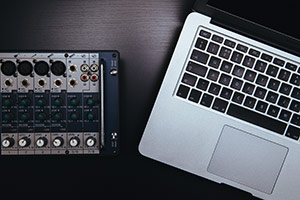
I’ve previously written some in-depth guides for two of the DAWs I’ve used: FL Studio and Pro Tools. Recently, I decided to write a more general guide for finding the best laptop for making music. This guide will suit all popular DAWs (including the 2 I mentioned, Ableton, Logic Pro, Reason, Reaper, Studio One and so on).

In this guide, I’ll show what I search when looking for the best laptop for making music and what are the best laptops for making music right now.
Let’s drop the guide.
What are the requirements for the best laptop for making music?
I’ll start off with showing you what you need to look for EXACTLY to identify the best laptop for making music. But don’t worry, at the end of the article, I’ll cover which laptops match these requirements the closest for every price tag.
I remember when I picked my laptop, I knew right away that I’ll need i7 laptop. They have the best performance and that’s what I needed. However, just knowing what processor you want is only the beginning. There are some of the worst laptops out there that have the same processor as the best i7 laptop.
There are so many different laptops on the market today that it can be quite difficult to make the right choice. Each one has different components, build quality, screen, and battery metrics. I know how difficult it can be to find the perfect laptop for your needs and still remain within your budget. If you know exactly what you’re looking for in each area, finding the best i7 laptop becomes a whole lot easier.
After reading this post, you will know exactly how to find the best i7 laptop. You will learn what to look for when you’re in the market for a brand new laptop. In other words, you will be able to find the laptop that offers the best bang for your buck. At the end of the post, you will also find the top 6 best i7 laptops.
How we identify the Best i7 Laptop?
The processor – commonly referred to as the CPU – is the most important part of your laptop. However, a good laptop cannot be summed up in this one dimension. There are many good processors, but not all laptops that have them are good. It all depends on the other components as well – RAM, storage space, and type, video card, etc.
Intel Core i5 laptops are one of the best processor choices out there. Sadly, just making up your mind to get the best i5 laptop is not enough. There are dozens of different options and each option has a unique set of specifications, metrics, and benchmarks. Also, each Intel Core i5 laptop comes with its own price tag; keep in mind that more expensive laptops are not necessarily better than cheaper alternatives. However, if you know exactly what you’re looking for, you will be able to find the right laptop for your needs.
In this post, I’ll cover what you will need to know to make the best choice and what are the best i5 laptops right now. You’ll get to know the pros and cons of every selected model, so you can make an informed decision.

You’re a writer. Your craft involves your words, your ability to tell the story well, grammar and styling. In the past, telling that story involved handwriting, sometimes for hours, but since we live in the 21st century, you’re going to want a laptop. Typewriters and fancy pens just aren’t going to cut it. Lucky for you, we’ve compiled a list with the best laptop for writers at each price tier.

But what should you be looking for in best writers laptops. There are two essential features that writers need to consider first, portability and battery life, because these will allow you the freedom and flexibility to take your writing anywhere. The other two considerations will depend on what kind of writing you’ll be doing, and where you’ll be doing it. Storage and screen resolution are things you might be able to sacrifice if you plan to write in a mainly Wi-Fi accessible area and aren’t going to be dealing with a lot of graphics or other media in your writing projects.
What is needed for the best laptop for writers?
Portability
The first thing on any writer’s mind is going to be the portability. Most likely, you want to carry your machine with you wherever you go, which means that mere ounces will make a difference. The thinner and lighter the computer, the easier it will be to have it with you whenever idea strikes.
You could carry something like an iPad, but since your main craft is writing, the keyboard isn’t an optional feature. This means that you’ll want a laptop, or something like a Chromebook, with the keyboard built in. This way you don’t have to pony up any extra cash for a detachable keyboard.
Finding the best laptop for internet is no different from finding any other good laptop. And we’ll do just that. First, we’ll form a clear set of requirements and then we’ll pick the best laptops in the market considering their specifications, reviews, and price.

What is Important for Best Internet Laptops?
Price
Internet browsing doesn’t require powerful specifications, so an expected price for a good internet laptop can vary between 160$ to ~550$. The very best laptops for internet can cost up to $1000 but in our case, they won’t offer that much more than an $600 laptop would.
Browsing experience should be the same for each laptop, so buying an expensive laptop just for browsing isn’t the best choice. But there are a few exceptions:
Gaming
Heavy multitasking
Professional computing-intensive work
In those cases, you might need a more expensive laptop. But otherwise – you’re in the clear even if you get an entry-level model.
Whether you need the best laptop for Skype while you’re at home or the best Skype laptop while you’re moving between cities – I’m here to cover all the bases.
Staying connected with relatives, colleagues or clients is hard. Sometimes, a quick message or a chat is not enough. In those cases, it is essential to have a laptop that is capable of making high-quality voice and video calls. At the same time, it shouldn’t run out of battery juice every other hour. And there are some great laptops just for that that don’t demand of you to empty your wallet.
First things first
Chromebook Support of Skype
At the first glance, if you want to buy a cheap laptop for Skype, you might start by considering Chromebooks. Chromebooks are extremely cheap internet-driven notebooks for everyday use. Sadly, Skype is not officially supported on Chrome OS – you can use Skype on Web. At the same time, it’s a bit buggy and only recently voice calls became available. So I’d recommend looking for a Windows or a MacOS laptop instead. It’s just better to avoid Chromebooks for confusion and unnecessary hassle.
Windows vs MacOS for a Skype laptop
Whether you want a Windows laptop or a MacBook depends entirely on your own preference. Of course, as a default, I would recommend a Windows laptop as they’re cheaper and there are a lot more options. But there’s nothing wrong with looking for a MacBook Air if you’re already in the $1000 budget range. At the same time, I’d guess most people wouldn’t want to spend that much on a Skype laptop.