
The requirements are not that high if you’re searching for the best laptop for seniors. But that doesn’t mean we can just buy the cheapest branded piece of metal with a screen and hope it goes fine. If you’re buying a laptop for yourself, getting a laptop that will last is a good investment. And if you’re buying it for a close relative – the last thing you want is to make them feel as you’ve bought them the bare minimum you could.
What we are searching for the best laptop for seniors?
Basic performance
Any modern laptop will do performance-wise. There’s no need for anything fancy or complicated. I would simply advise not to get a laptop with a Celeron, Pentium or Atom processor if it’s not a Chromebook.
If you don’t know what Chromebooks are – they are not expensive basic laptops designed for the internet age. That means they are not designed with demanding software or gaming in mind. Instead, Chromebooks focus on ease of use, long battery life, and simple design. They run Google’s own Chrome OS instead of Windows or MacOS. This system is very friendly to somebody who hasn’t use a laptop or only needs one for very basic tasks: browsing the internet, video chatting with friends and relatives, watching movies and working on basic documents. All of that should be more than enough for most seniors.
Now, let’s get back to the topic.
Any Intel Core M/i3/i5/i7 processor will be just fine for a Windows laptop and for a Chromebook – any processor will do.
When talking about RAM, you need to remember 3 numbers:
2GB – minimum for Chromebooks
4GB – minimum for Windows laptops
8GB – plenty for any task. Anything above 8GB is targeted to professionals and gamers.
Finally, you can ignore graphics cards altogether. Even a basic integrated chip in any Intel/AMD processor has enough muscle to drive basic daily tasks.

When it comes to watching movies, the quality of the laptop screen and sound will make or break your experience. But let's face it; nobody wants to spend a fortune to get their own mini-theatre at home. Whether you're a movie buff, enjoy watching shows on Netflix, or just want to stream some YouTube videos, I've got you covered. In this guide, I'll break down what specifications you need in a laptop to get the best experience for watching movies, without breaking the bank.
First, we’ll start by figuring out what type of laptop you’re searching. That includes nailing down the your prefered laptop size, priorities when it comes to performance-to-portability ratio and general budget limits.

Then, I’ll cover the most important specs and metrics that are essential for any good graphic design laptop. One by one, I’ll explain their role in our particular case and then what exact specs you should be looking for.
Finally, I show what are the 10 absolute best laptops for graphic design. These notebooks were picked out of a pool of over 170 computers. And in the unlikely event that you don’t fancy a single of my recommended models – I’m giving away the comparison sheet of all 172 compared laptops for free. It is tailored specifically for graphic design so you’ll save hours.
But first things first – what are the requirements for the best laptop for graphic design?
What is crucial to a graphic design laptop?
First of all, to know what kind of laptop will be the best for you, you decide on your budget and preferred screen size.
Size
For simplicity’s sake, I’ll talk about 3 most common laptop sizes: 13″, 15″ and 17″. I apologize for not including 14″, which I know is just in the sweet spot for some graphic designers. But their characteristics can be easily guessed as a mix between 13.3″ and 15.7″ laptops.
Let’s begin with 13-inch notebooks. They are best suited if you need a very portable laptop. It’s the best size for travel due to its excellent portability. But the lack of screen “real estate” is not ideal for any type of visual work.
15″ is the most common option for most people, including graphic designers. 15 inches is the standard size for an office laptop.
17″ the best screen size if you’re searching for a desktop-replacement workstation and you will need to carry it only once in a while.
Don’t forget that often there are options for external displays. If you need a small laptop for home and a larger one for office – getting a 13″-15″ notebook with a few ports for display can be enough. So you’re not necessarily limited by a screen size. The number and versions of HDMI, Display Port, USB 3.1 Type C (w/ Thunderbolt III) connections determine the number of screens you can use. 13″ laptops usually can have 1-2 external displays while a standard 17″ behemoth can have ~4 of them.
In the world of architecture, finding the best laptop for the job can be challenging. As someone who has been a part of the industry, I know how frustrating it can be to have to work on a machine that can't keep up with your workload. That's why I created this guide to help you navigate your way through the confusing maze of specifications and technical terms to find the best laptops for architects.
Whether you're an architecture student or a professional, the demands placed on your laptop are high. You need a machine that can run complex design software, manage multiple applications at once, and handle rendering and 3D modeling with ease. With so many different brands and models on the market, it can be tough to know where to begin.
2018 September Update. Luckily, nursing students do not need to have some specific requirements for a laptop which make almost any laptop a viable option for the course. At the same time, lack of clear guidelines makes it hard if you’re determined to get the best laptop for nursing students, even if for your own limited budget.

In this post, I’ve taken up the task of researching and comparing a whole lot of hottest laptops (over 400!) to find the best of the best. In essence, I’ve compiled all the relevant information out of a bunch of blog posts, articles, forums and university guidelines with some EXACT requirements for a laptop that are rarely found online.
First off, I’ll start off by examining what an average nursing student needs, describing to the T what you should get, what is not important and where you should make decisions on your own if you want the best laptop specifically for you. At the end, I’ll list out the best laptops for nursing students and what are their strengths and if there are any “gotchas” that you should be aware of.
Let’s begin by defining what we mean by “best laptop for nursing students”.
What is important for a nursing students laptop?
As a nursing student, you’ll need to deal with office apps, research on the web and, possibly, some domain-specific software (for example, statistical programs). There are some basic requirements online outlining what laptop you’d need for the course:
Windows 10 Pro or higher (not Windows RT) or OS X
Intel Core i5 or higher
14” HD display or larger
Integrated webcam
6 GB memory or higher
250 GB hard drive or larger (solid state recommended)
These are not particularly demanding specs. Let’s go through them one-by-one:
Windows laptops and OS X laptops are both fine. That means that Chromebooks are out of the question (according to this particular school which might not always be the case for other colleges/university). Also, explicitly excluding Windows RT means that operating systems found in tablets and some 2-in-1 laptops are not enough.
Performance
Processor
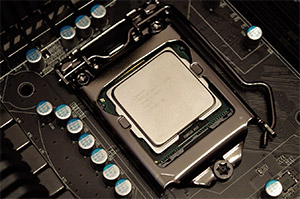
Nursing students mostly have to deal with basic word processing/excel spreadsheet work, email, web-surfing and occasionally some statistical software. That type of work does not need a good processor. But there are a few types of processors I’d avoid still. First off, all Windows laptops with Celeron and Pentium processors should be ignored for good. Only Chromebooks can function properly on these slow processors but even then I’d suggest going for an Intel Core i3 CPU instead
It is quite easy to know if a laptop has one of these slow CPUs. In short, any Intel processor that is not in Core series (does not have a prefix of i3, i5 or i7 before its model name) – is most likely either a Celeron, Pentium or Atom CPU.
Kali Linux is quickly getting traction as de facto penetration testing suite/OS for professionals and hobbyists alike. But obviously, it is not as popular as mainstream Linux distros like Ubuntu, Mint or Debian. That leaves most of pentesters in the dark when searching for the best laptop for Kali Linux. Up until now, Kali forums are filled with year-old suggestions of buying a Lenovo laptop that’s almost as old as you are. And I won’t lie – in some cases, you might aswell get that refurbished Lenovo. But maybe now is the time to get a something new?
Well, I took on the mission of finding the best Kali Linux laptops and it wasn’t pretty. Apparently, checking laptops one-by-one for their WiFi chipsets is not most fun way to spend my free time.
Now, I will skip the whole “do you really need Kali Linux” part and I’ll assume you have all the reasons in the world to install it and to buy a laptop for it.
Ok, let’s go straight to finding the holy grail of penetration testing – the best laptop for Kali Linux.
Requirements for the best Kali Linux laptop
How much power do you need?
To find the best laptop for penetration testing we need to define what exactly it will be used for.
For the most part, any laptop that runs Linux will work. You don’t need anything fancy when it comes to pentesting laptops. In the most basic sense, if Ubuntu can run on a laptop, Kali can run on it too.
Penetration testing
You could use a Kali Live USB with persistence or dual-boot with Windows (or other Linux distro). Most likely, you’ll also need to have a couple of virtual machines (via Oracle Virtual Box, VMware or Parallels). That only requires a basic processor and a bit extra RAM. You don’t need much for capturing, probing and listening. In that case, you might want to steer away from bulky machines and towards lighter ones if your budget allows it.
Cracking hashes
Using GPU cracking is an entirely another subject. In that case, you’ll need a laptop resembling a gaming rig. Then powerful CPU and GPU will come a long way but even then there some serious issues with GPU cracking on a laptop.
I will go straight to the point with this one. Find the best Ubuntu laptop is not easy – even finding a good laptop for Windows can take some time. And when we add compatibility issues and varying degrees of Ubuntu support for 15.xx and 16.xx releases, we can find ourselves crossing fingers hoping that the trackpad and WiFi work out-of-the-box.

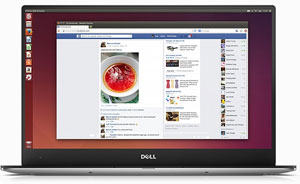
On the other hand, Ubuntu is the best Linux distro when it comes to finding a compatible laptop. There are plenty of reviews and guides for the most popular guides. Ubuntu community might not have a well-maintained wiki with recent laptops (as ArchLinux does), but there are a lot more easy step-by-step guides for Ubuntu users.
In this lengthy post, I’ll cover what is important when searching for the best laptop for Ubuntu and what are the common problematic areas. Then, I’ll list out the best Ubuntu laptops with guides: best laptops with Ubuntu pre-installed, best Chromebooks for Ubuntu and the best Windows laptops and MacBooks with good Ubuntu support.
What we should look for in an Ubuntu laptop?
First things first. To find the best Ubuntu laptop, we’ll need to know what we’re looking for and what we should avoid. I’ll break down specs one by one and outline what are our options.
Performance
Major Processor
Starting with Kernel 4.3 – found in Ubuntu 16.04 LTS, Linux supports Skylake graphics which are generally superior to their Broadwell and Haswell counterparts. Therefore, unless you have limitations of a particular Ubuntu version, go for the latest Ubuntu release with newest Kernel and a 6th generation Intel CPU.
Apart from that, judging a mobile processor for Linux is quite straightforward.
I think you understand that finding the best Linux laptop is not as easy as finding a laptop for a particular piece of software or a profession.
A mechanical engineer buying a laptop will at least know that the touchpad, audio, and graphics cards will be working. Anything else wouldn’t be acceptable. But this is not the case for Linux laptops. Even in 2017, there are a lot of issues when trying to stuff most Linux distros into a non-certified laptop. And if you’ve got a Windows laptop or a Chromebook – a problem with Linux is a problem you’ll need to solve.
But searching for the perfect out-of-the-box compatibility is an easy way to leave yourself with just a few options on the table. That’s why, I’m going to look for the laptops that are great overall while maintaining sufficient compatibility with Linux (as in, they have guides showing how to fix any or most of the issues that can occur).
In this post, I’ll start off with the basic prep-work: choosing a distro, what hardware we should avoid and what metrics are most important when in search for the best Linux laptop. Finally, I’ll list out some great options: Chromebooks, Windows laptops and workstations
It’s worth to note, as a programmer, I have a bias for a fast processor, a lot of RAM and SSD. That’s why some of the best Linux laptops for me might not match your needs if you will not be using your laptop for work.
Also, even though I have updated this guide in 2017, I haven’t found any guides on Ubuntu 17.04 so, but there’re a few on 16.04 LTS and 16.10.
Pick a distro upfront
First of all, if you already have made you mind on Linux distro – it will be easier to find a compatible laptop suiting your needs.
And if you haven’t – there are a lot of good Linux distros to choose from. Also, if you’re a user of some classic distro, remember that getting a new laptop can be one of the best times to try out a new flavor of Linux. For example, if you’d like to get a Chromebook for Linux, then GalliumOS (subreddit) could be a nice choice. Or maybe this is the time you’ll finally try out Elementary?
Finding the best World of Warcraft laptop depends on your budget and on the visual settings you’re willing to tolerate. Luckily, the core game engine is so old that there’s no need to get top-of-the-line hardware. That should be great news if you’re searching for a WoW laptop under $500.
World of Warcraft: Legion logo is a trademark of Blizzard Entertainment. Use of it does not imply any affiliation with them.How am I going to find the best laptops for WoW?
Updated on June 5th, 2018. This time, I’m replacing all laptops with mostly 8th gen Intel processors and Nvidia Pascal graphics. Updated on March 3rd, 2021. I’ve added an updated guide with laptops for WoW: Shadowlands.
First, I’ll show you what are the exact requirements for a laptop instead of the generic stationary PC-oriented requirements. Then I’ll guide through each of them so you’ll know where you can cut corners and what is an absolute must. Finally, I’ll list out 8 best World of Warcraft laptops in their price ranges starting from $350 and ending with ~$3000.
Any 4th-7th gen i3, i5 or i7 processor;
AMD A6-5200 or up;
Intel M3-6Y30
i5-6300HQ;
i5-8300H;
i5-8250U;
any 4th-7th gen i7 Q-series processor (i7-4720HQ, i7-5700HQ, i7-6700HQ…);
(this does NOT include i7-*500U CPUs)
Video
Any integrated graphics in 5th-7th processor (except generic HD Graphics and HD Graphics 510);
Any dedicated Nvidia graphics card; AMD Radeon R7/R9 M300 series
Nvidia GTX 960M;
Nvidia GTX 1050;
Nvidia GTX 970M/1060 for high frames above Full HD resolution
Memory
4 GB
8 GB and more
These requirements are NOT official – I used the official requirements to match their recommended components to equivalent laptop parts. I used 3rd party benchmarks including 3DMark and PassMark tests.
Sims 4 logo is EA trademark. Use of it does not imply any affiliation with them.
Sims 4 does not necessarily need a very fast laptop. In fact, it is one of the easiest games to pick a laptop for. Of course, if you want to get the best deal, which is exactly tailored to what you’ll need to run Sims 4 – it helps to know what exactly you should be looking for.
To find the best Sims 4 laptop, I went through PC requirements, converted them to equivalent laptop components and what are the precise processors and video cards you should look for. Finally, I’ve picked out 5 best laptops for Sims 4 depending on your budget and the graphics settings you want to play the game on.
To begin with, let’s examine what is important for a Sims 4 laptop.
OS, Sound Card, Hard Drive, DirectX and other requirements are easily met by any modern laptop
There are a few more different 3rd party sources for Sims 4 requirements which can help us to get a better grasp on what should be our target. These are the recommended specs for Sims 4:
Processor: Intel Core i5-750
Video card: Nvidia GTX 650
Memory: At least 4 GB RAM
These system requirements are targeted towards stationary personal computers and not laptops. Now, I’ll adapt these requirements to laptops one-by-one.
Also, we don’t need to worry about Sims 4 expansion packs (Get to Work, Get Together), game packs, stuff packs and other DLC.
The Sims 4 Laptop Mode
Just before we start, I need to address The Sims 4 Laptop Mode. It allows running Sims 4 with very old and weak machines, including some of the cheapest laptops out there. That’s why if you just want to run Sims 4 on the cheap – even the most basic laptop will be enough (more on that in recommendation section).